4h ago
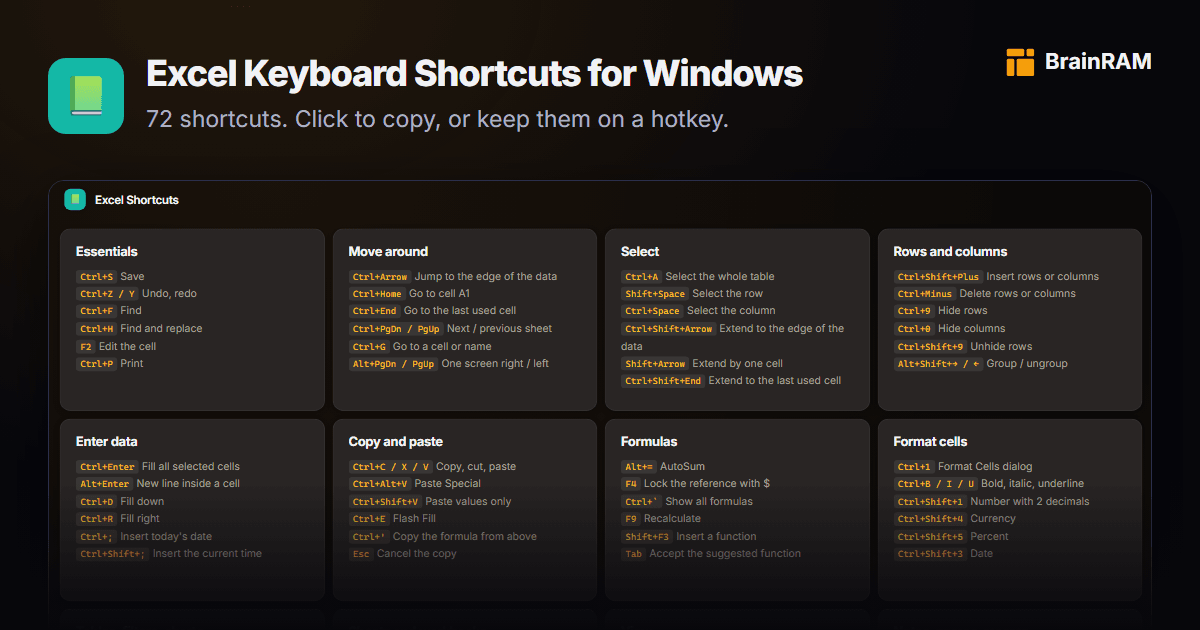
Excel's 91 Shortcuts: Skip the Menus
A fresh cheat sheet packs 91 essential Excel shortcut keys to ditch menu fumbling and ramp up everyday productivity.

Created by Nicolas Ortiz Jr.
Hidden keyboard shortcuts and clever workflows for office and creative software
Explore the latest content tracked by Shortcut Savvy Hub
A fresh cheat sheet packs 91 essential Excel shortcut keys to ditch menu fumbling and ramp up everyday productivity.
Google Japan’s Kurukuru Gboard puts 116 keys on four conveyor belts so your finger stays put while characters roll underneath. The setup targets...
Transitioning from Chromebook? Memorize just G + ? to instantly open a searchable overlay of every shortcut on Googlebook OS.
Hold Ctrl + Space to overlay all 72 Excel shortcuts directly on your spreadsheet, then release to hide it and keep working. Groups stay fixed so you learn positions fast and glance instead of searching.
Focus on real-world fit rather than polling rates when picking a keyboard for gaming and work.
A barebones hot-swap kit removes the need for soldering, letting beginners assemble a custom mechanical keyboard with just basic tools.
Jump into VS Code productivity with these essential shortcuts linking editing, intelligence, and workflows.
Start here to cut pointer movement from nearly every task:
Obsidian makes keyboard-first note management simple with a handful of everyday shortcuts that reduce mouse use.
New Excel users gain speed by grasping workbook (the saved .xlsx file) versus worksheet (tabs inside it) first.
Motion's Command Editor does more than create custom shortcuts—it helps you find and review existing ones too.
Google Japan's latest experiment mounts keys on four moving conveyor belts so one hand stays nearly still while typing, yet error-free use requires far more practice than learning ordinary shortcuts and remains slower overall.
Microsoft hid a Doom-style credits maze called Hall of Tortured Souls inside Excel 95. Here's how to reach it safely in a VM:
Windows 11 is finally putting the overlooked tilde key (~) to work in File Explorer. Type ~ in the address bar to jump straight to your user profile folder, skipping the full C:\Users\Username path, with easy access to hidden spots like AppData.
Google Japan's latest quirky build puts keys on four moving belts so they flow directly to your hand, slashing finger and arm travel—especially handy...
macOS lets you override conflicting global shortcuts by creating app-specific ones in System Settings.
A single reference shows Windows and Mac keys side-by-side for 52 apps, drawn straight from vendor docs.
Practical workflow picks:
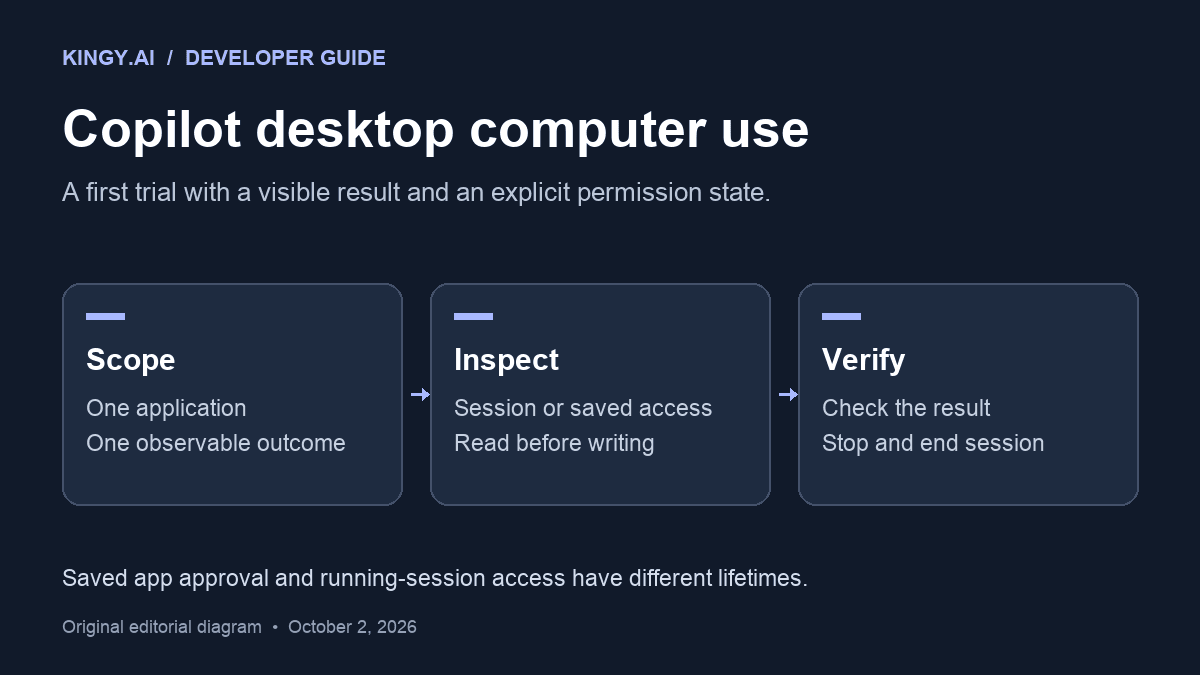
GitHub Copilot’s computer-use feature adds CLI shortcuts for desktop app control when APIs fall short.
/computer on or /computer show to enable...